
Facebook Cover Photo Size 2026: 851x315 and the Crop
Last verified: 27 September 2026
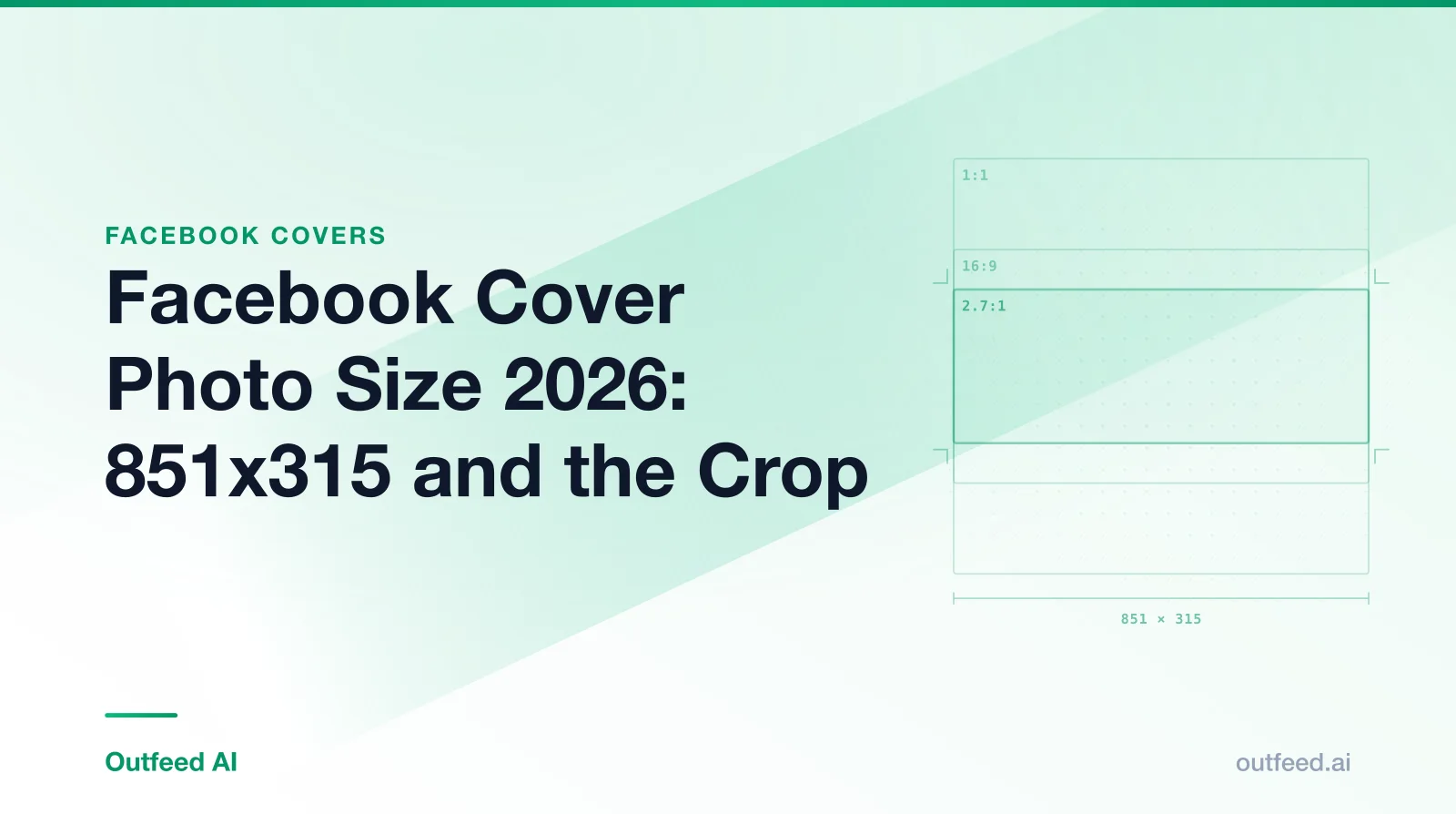
851 x 315, 820 x 312 and 640 x 360 all describe the same Facebook cover, and only the first is the Facebook cover photo size you upload. Both of Meta’s help centres say a Page cover loads fastest as an sRGB JPG at 851 x 315 pixels and under 100 KB, and that it must be at least 400 x 150 pixels.
The other two are display sizes from Meta Business Help, one for computers and one for phones. Facebook Help Center, the page for the current Page layout, no longer gives display pixels at all: it describes the cover in ratios that match none of them. The sections below take each number in turn, then the cover video and the profile picture that sits over the cover’s left side.
Table of Contents
- What is the Facebook cover photo size in 2026?
- Why do guides quote 820x312, 851x315 and 640x360?
- What do Meta’s two help centres say about how the cover displays?
- Where does the profile picture overlap the cover?
- Can you use a video as your Facebook cover?
- What size is a Facebook profile picture?
- What are the other Facebook image sizes?
- How Outfeed handles this
- Frequently Asked Questions
What is the Facebook cover photo size in 2026?
Upload your Facebook Page cover at 851 x 315 pixels. It is the one size both Meta help centres recommend, and it is a speed recommendation: Facebook Help Center says the cover “loads fastest as an sRGB JPG file that’s 851 pixels wide, 315 pixels tall and less than 100 kilobytes.” Anything under 400 x 150 pixels is below Meta’s minimum.
The upload size, Meta’s display sizes and the overlap guidance sit in separate columns, because on a Facebook cover each answers a different question.
| Placement | Upload size (px) | Aspect ratio | Displays at (px) | Safe zone | Max file size | Source |
|---|---|---|---|---|---|---|
| Page cover photo | 851 x 315 Min 400 x 150 | 851:315 | Desktop 820 x 312 · Mobile 640 x 360 These display sizes are from Meta Business Help Center. | Guidance only, no safe-zone dimensions published | 100 KB Not a cap: the size at which the cover 'loads fastest'. | Facebook Help Center: Facebook Page profile picture and cover photo dimensions |
| Page cover video | 820 x 456 Min 820 x 312 | 16:9 | Not recorded | Not recorded | Not recorded | Meta Business Help Center: Cover photo, cover video and profile picture specs |
| Page profile picture | 320 x 320 | 1:1 | Desktop 176 x 176 · Mobile 196 x 196 Facebook Help Center: 176 x 176 on computers, 196 x 196 on smartphones, 36 x 36 on most feature phones; cropped to a circle. | Not recorded | Not recorded | Facebook Help Center: Facebook Page profile picture and cover photo dimensions |
| Feed image | 1440 x 1800 Ad spec: Meta Ads Guide: Facebook Feed image ads · Min 600 x 750 | 4:5 | Not recorded | Not recorded | 30 MB Ads guide. Organic Page photos via the Graph API: 10 MB. | Meta Ads Guide: Facebook Feed image ads |
| Story | 1440 x 2560 Ad spec: Meta Ads Guide: Facebook Stories image ads | 9:16 | Not recorded | Top 14% · Right 6% · Bottom 35% · Left 6%, on 1080 x 1920 Ad guidance: Meta Ads Guide: Facebook Stories image ads | 30 MB | Meta Ads Guide: Facebook Stories image ads |
| Link preview image (og:image) | 1200 x 630 Min 200 x 200 | 1.91:1 | Not recorded | Not recorded | 8 MB | Meta for Developers: Images in link shares |
Have an image in the wrong shape? Our free image resizer can crop it to the exact cover size in your browser, with no account needed.
What file type and file size load fastest?
An sRGB JPG under 100 KB. The file-size figure is not an upload cap. Meta presents it as the size at which the cover loads fastest, which makes it a target rather than a limit. For logos or text, Meta says only that PNG may give a better result; it gives no reason.
For a sharper cover on high-density screens, some designers upload at exactly double size, 1702 x 630, which keeps the shape identical. That’s a trade-off, not Meta’s advice: four times the pixels makes a larger file, so it may no longer meet the 100 KB fast-loading target.
Why do guides quote 820x312, 851x315 and 640x360?
Because the three numbers measure different things. 851 x 315 is the file to upload. 820 x 312 and 640 x 360 are the sizes Meta Business Help Center says the cover displays at on a computer and on a phone. A guide that calls 820 x 312 “the cover size” is quoting a display size as if it were an upload size.
Here is every Facebook cover number you are likely to meet, and what each one is:
| Number you’ll see | What it actually is | Where it comes from |
|---|---|---|
| 851 x 315 | Upload size; loads fastest as an sRGB JPG under 100 KB | Both Meta help centres |
| 400 x 150 | Minimum upload size | Both Meta help centres |
| 820 x 312 | Display size on a computer | Meta Business Help Center only |
| 640 x 360 | Display size on a phone | Meta Business Help Center only |
| 16:9 and 2.4:1 | Display shape on a computer and on mobile | Facebook Help Center only |
| 820 x 360 | The desktop display width combined with the mobile display height, offered as one size for both | Third-party guides, not Meta |
| 1640 x 624 and 1640 x 720 | Exactly double 820 x 312 and 820 x 360, for high-density screens | Arithmetic, not Meta |
| 820 x 456 | Recommended cover video size | Meta Business Help Center |
None of these is wrong on its own terms. The mistakes are quoting a display size as the upload size, and passing off a derived canvas such as 820 x 360 as Meta’s number.
What do Meta’s two help centres say about how the cover displays?
They say different things, and both are Meta’s own pages. Meta Business Help Center gives fixed display sizes: 820 x 312 pixels on computers and 640 x 360 on mobile. Facebook Help Center, the page for the current Page layout, gives no display pixels at all. It says the cover “left aligns with a full bleed and a 16:9 aspect ratio” on a computer and at 2.4:1 on mobile.
Side by side, as both pages read on 27 September 2026:
| Meta Business Help Center | Facebook Help Center | |
|---|---|---|
| Cover on a computer | Displays at 820 x 312 px | Left-aligned, full bleed, 16:9 |
| Cover on mobile | Displays at 640 x 360 px | Left-aligned, full bleed, 2.4:1 |
| Recommended upload | 851 x 315 px, sRGB JPG, under 100 KB | 851 x 315 px, sRGB JPG, under 100 KB |
| Minimum upload | 400 x 150 px | 400 x 150 px |
| Profile picture display | 170 x 170 on computers, 128 x 128 on mobile | 176 x 176 on computers, 196 x 196 on smartphones, 36 x 36 on feature phones |
There’s a catch in Facebook Help Center’s version. An 851 x 315 file is about 2.7:1, which is neither 16:9 nor 2.4:1. The file you’re told to upload is a different shape from the frames it’s described as filling, so Facebook has to crop or scale it, and Meta doesn’t say how.
What that means for your design
Plan for a 16:9 view, because both help centres describe one. Facebook Help Center puts 16:9 on the computer. Meta Business Help Center’s mobile display size, 640 x 360, is also exactly 16:9. Whichever page matches your Page, one of the views is that shape.
If a 2.7:1 file fills a 16:9 frame to its full height, only about two-thirds of its width can show: 16:9 is 1.78:1, and 1.78 divided by 2.70 is about 0.66. A 2.4:1 frame would show about 89% of the width. Meta publishes none of these figures. They are our arithmetic on Meta’s wording, not a Meta safe zone, which is also why this page offers no pixel overlay for the Page cover.
The rule that survives both descriptions:
- Keep words, logos and faces in the middle of the image, clear of the left side where the profile picture sits.
- Keep them off the right edge too: “left aligns” suggests the right-hand side is what gets trimmed in a narrower frame.
- Leave the outer edges to background, then check the live cover on a phone and a computer.
Where does the profile picture overlap the cover?
On the left. Facebook Help Center says “the left side of your cover photo will be partially covered by your profile picture”, and that on mobile the profile picture overlaps the cover by approximately 40 pixels. Meta gives no overlap figure for computers, and neither Meta page publishes a numeric safe zone for the Page cover.
In practice that rules out three common layouts: a logo in the lower-left corner, a headline that starts at the left edge, and a photo whose subject stands on the far left. Move all three toward the centre before you export.
The same problem shows up on X, where the profile photo also sits over the header. Our guide to the Twitter banner size covers how to design around it there.
Can you use a video as your Facebook cover?
Yes, on a Facebook Page. Meta Business Help Center recommends a cover video of 820 x 456 pixels, no smaller than 820 x 312 pixels, lasting 20 s to 90 s. Cover videos can only be uploaded from a computer.
Meta explains the size in one line: “the dimension should be 820x456 pixels so the video can render smoothly on mobile’s 16:9 ratio.” That is another sign that Meta Business Help Center treats the mobile cover as 16:9. The minimum, 820 x 312, matches the desktop display size the same page gives for cover photos.
The design rules above apply to video too: keep the action and any text in the middle, away from the left side.
What size is a Facebook profile picture?
Upload a Facebook Page profile picture at 320 x 320 pixels; Facebook crops it to a circle. Facebook Help Center says it displays at 176 x 176 pixels on computers, 196 x 196 on smartphones and 36 x 36 on most feature phones. Meta Business Help Center gives 170 x 170 on computers and 128 x 128 on mobile instead.
You don’t have to pick a side: a 320 x 320 upload is larger than every display size either page lists. Two details matter more:
- The circle crop. The corners of your square image are never shown, so keep a logo well inside the frame.
- The file type. Facebook Help Center says PNG may give a better result for a profile picture that contains a logo or text.
While you’re updating the Page, our free social media bio generator can draft the intro text that sits beside the new picture.
What are the other Facebook image sizes?
For posts, Meta publishes image numbers only in its Ads Guide: 1440 x 1800 pixels at 4:5 for feed images, and 1440 x 2560 at 9:16 for Stories. Link previews are the exception with an organic spec: Meta for Developers recommends 1200 x 630 pixels or larger. Group covers aren’t covered by any Meta page cited here, so this guide gives no size for them.
Image size on Facebook posts
The Meta Ads Guide for Facebook Feed images recommends 1440 x 1800 pixels at 4:5, up to 30 MB. It’s written for ads, but it’s the only feed image size Meta publishes, so it’s the best reference for organic posts too. Just label it as ad guidance if you pass it on. To get 4:5 at another width, convert the ratio to pixels with our free calculator, and the free social media post creator can draft the caption to go with the image.
Facebook Story size
Meta’s Ads Guide gives 1440 x 2560 pixels at 9:16, up to 30 MB. For organic Stories, 1080 x 1920 is the size most people use (widely reported); that one is convention, not a Meta figure. Meta’s only published Story safe zone is ad guidance too: keep the top 14%, the bottom 35% and 6% on each side free of text and logos, so the profile icon and call-to-action don’t cover them.
Link preview image size
When you share a web page to Facebook, the preview image comes from the page’s og:image tag. Meta for Developers recommends images of at least 1200 x 630 pixels, as close to 1.91:1 as possible, and no larger than 8 MB. It also says to use at least 600 x 315 pixels if you want the larger preview, and that the minimum allowed image dimension is 200 x 200 pixels.
Event covers are a different shape again, 1.91:1 (widely reported), and Meta publishes no size for them, so our Facebook event cover photo size guide explains the working standard. Every other network’s numbers are in one table of image sizes for every platform.
How Outfeed handles this
Outfeed doesn’t touch your cover photo. Covers and profile pictures are set in Facebook itself. Where Outfeed comes in is everything you post under them. Outfeed AI is a chat-first social media manager: describe a post, and it drafts a version for each of the 9 platforms it publishes to, shows you a preview of each one, and schedules them from a single conversation.
On Facebook, Outfeed’s publisher sends Page photos of up to 10 MB (JPEG, PNG, GIF, BMP or TIFF) and currently publishes one media item per Facebook post. A multi-image Facebook post isn’t something it builds yet. Pair your posts with the best time to post on Facebook for your audience, and make a cover refresh one line of your monthly social media planner.
Plan and schedule your next Facebook posts in Outfeed AI
Frequently Asked Questions
What is the Facebook cover photo size?
Upload a Facebook Page cover photo at 851 x 315 pixels. Both of Meta’s help centres say the cover loads fastest as an sRGB JPG at that size and under 100 KB, and that it must be at least 400 x 150 pixels. Facebook then crops and resizes it for each screen, so keep text and logos away from the edges and the left side.
Why does my Facebook cover photo get cropped?
Because the file and the frame are different shapes. Facebook Help Center recommends an 851 x 315 file, which is about 2.7:1, but describes the cover displaying full bleed at 16:9 on a computer and 2.4:1 on mobile, and says it may be cropped and resized to fit different screens. The profile picture also covers part of the left side.
What size is a Facebook cover photo on mobile vs desktop?
Meta’s two help centres answer differently. Meta Business Help Center says the cover displays at 820 x 312 pixels on computers and 640 x 360 on mobile. Facebook Help Center gives no display pixels and describes a left-aligned, full-bleed cover at 16:9 on computers and 2.4:1 on mobile. Both recommend uploading 851 x 315.
What is the Facebook cover photo safe zone?
Meta publishes no pixel safe zone for the Page cover. Facebook Help Center says the left side is partly covered by the profile picture, which overlaps the cover by approximately 40 pixels on mobile, and that the cover may be cropped and resized. Keep text and logos in the middle of the image, clear of the left side and the outer edges.
What file format is best for a Facebook cover photo?
An sRGB JPG. Meta says the cover loads fastest as an sRGB JPG that is 851 x 315 pixels and under 100 KB. The 100 KB figure is a speed target, not an upload cap. If the cover is mostly a logo or text, Meta says PNG may give a better result.
What size is a Facebook profile picture?
Upload a Facebook Page profile picture at 320 x 320 pixels; Facebook crops it to a circle. Facebook Help Center says it displays at 176 x 176 on computers and 196 x 196 on smartphones, while Meta Business Help Center says 170 x 170 and 128 x 128. A 320 x 320 upload is larger than every one of those display sizes.
Can a Facebook cover be a video?
Yes, on a Facebook Page. Meta Business Help Center recommends a cover video of 820 x 456 pixels, at least 820 x 312, lasting 20 to 90 seconds, and it has to be uploaded from a computer. Meta says 820 x 456 lets the video render smoothly on mobile’s 16:9 ratio.
Sources (checked 27 September 2026): Facebook Help Center, “Facebook Page profile picture and cover photo dimensions”; Meta Business Help Center, “Cover photo, cover video and profile picture specs”; Meta Ads Guide, Facebook Feed and Facebook Stories image ads; Meta for Developers, “Images in link shares”.