
Outfeed AI vs Sprout Social: Enterprise AI at a Fraction of the Cost
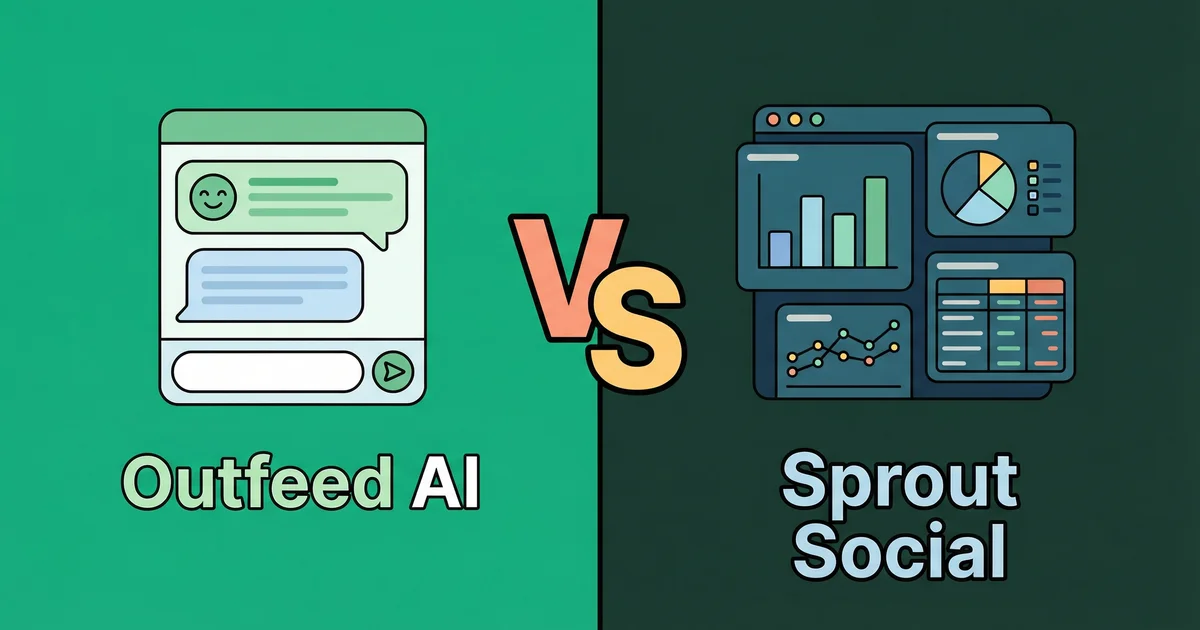
Outfeed AI vs Sprout Social — this comparison pits a chat-first AI content creation tool against the enterprise heavyweight of social media management. Sprout Social gives you a full-stack platform with social listening, CRM, sentiment analysis, and enterprise analytics. Outfeed AI gives you an AI that writes, optimizes, and publishes content across 9 platforms from a single conversation.
These tools serve different audiences at vastly different price points. This comparison breaks down every major difference so you can decide which one actually fits your team and budget.
Table of Contents
- Quick Comparison
- How Each Tool Works
- AI Content Creation
- Platform Support
- Pricing Comparison
- Social Listening and Monitoring
- Analytics and Reporting
- Brand Voice and Consistency
- Team Collaboration
- Free Tools and Resources
- Who Should Use Which Tool
- The Verdict
- Frequently Asked Questions
Quick Comparison
Here’s a side-by-side overview of both platforms:
| Feature | Outfeed AI | Sprout Social |
|---|---|---|
| Approach | Chat-first AI interface | Enterprise dashboard |
| AI content creation | Native (conversational) | AI Assist (enhancement) |
| Brand Voice AI | Yes (Pro plan) | Yes (profile-based) |
| Platforms | 9 | 10+ |
| Starting price | $19/mo (flat) | $199/seat/mo |
| Pricing model | Flat monthly | Per seat |
| Unlimited posts | All plans | All plans |
| Social listening | No | Yes |
| Sentiment analysis | No | Yes |
| Social CRM | No | Yes |
| Free tools suite | 13 tools | No |
| Free trial | 7 days | 30 days |
| Team (entry plan) | 2 members | 1 seat |
The price gap is the headline: $19/mo vs $199/seat/mo. But Sprout Social includes enterprise features Outfeed AI doesn’t offer. The question is whether you need those features — and whether they’re worth 10x the price.
How Each Tool Works
Outfeed AI: Chat-First
Outfeed AI replaces the traditional post composer with a conversational AI interface. You describe what you want to post, and the AI generates platform-optimized content for every connected network.
The workflow is:
- Type a message — like “Create a product launch post for all my platforms”
- Review per-platform previews — each post is tailored to the platform’s format and audience
- Approve and publish — instantly or scheduled for the best time
No composer, no menus, no switching between tabs. The AI handles content creation while you focus on strategy and approval.
For a deeper look at how the platform works, read our complete Outfeed AI guide.
Sprout Social: Enterprise Dashboard
Sprout Social is a full-stack social media management platform designed for enterprise teams. It centers on a unified dashboard that combines publishing, engagement, listening, analytics, and CRM into one interface.
The workflow is:
- Open the composer — write your post or use AI Assist for suggestions
- Manage your inbox — respond to messages, comments, and mentions from one place
- Monitor conversations — track brand mentions, sentiment, and competitor activity
- Analyze performance — deep analytics with custom reports and competitive benchmarking
Sprout Social’s strength is breadth. It’s not just a publishing tool — it’s a social media command center for teams that need listening, engagement, and reporting alongside content scheduling.
The Core Difference
- Outfeed AI: AI creates your content. You review and publish.
- Sprout Social: You create your content (with AI enhancement). The platform helps you manage everything around it — listening, engagement, analytics, CRM.
If your biggest pain point is content creation time, Outfeed AI solves it directly. If your biggest pain point is managing the full social media operation — monitoring conversations, tracking sentiment, coordinating enterprise teams — Sprout Social is built for that.
AI Content Creation
Both tools have AI, but they use it very differently.
Outfeed AI’s AI
Outfeed AI is built around AI from the ground up. The entire interface is a conversation with an AI assistant that:
- Generates platform-optimized content for all 9 platforms from a single message
- Adapts tone and format per platform — professional on LinkedIn, casual on Instagram, concise on Twitter/X
- Creates bulk content — ask for a week’s worth of posts in one conversation
- Suggests content ideas when you’re stuck
- Respects character limits — automatically adjusts for each platform’s constraints
The AI isn’t a feature added to an existing tool. It is the tool.
Sprout Social’s AI Assist
Sprout Social offers AI Assist as an enhancement layer within the existing composer and inbox:
- Generate by AI Assist — creates caption suggestions from a prompt
- Enhance by AI Assist — rewrites your draft in a different tone (professional, friendly, etc.)
- Alt text generation — AI creates image descriptions for accessibility
- Sentiment analysis — AI classifies message sentiment across your inbox
- Query recommendations — AI suggests keywords for social listening topics
Sprout Social’s AI is more of an enhancement toolkit than a content engine. You still work inside a traditional composer — AI polishes what you write rather than creating from scratch.
AI Comparison Summary
| Capability | Outfeed AI | Sprout Social |
|---|---|---|
| AI writes full posts | Yes | Suggestions only |
| Per-platform optimization | Automatic | Manual |
| Chat-first interface | Yes | No (AI inside composer) |
| Tone adjustment | Automatic per platform | Manual (Enhance AI) |
| Sentiment analysis | No | Yes |
| Social listening AI | No | Yes |
| Bulk content creation | Yes (via chat) | No |
| Alt text generation | No | Yes |
Outfeed AI’s AI is focused on content creation. Sprout Social’s AI is focused on content enhancement and social intelligence. Different tools for different problems.
Platform Support
Outfeed AI: 9 Platforms
- Instagram — Feed posts, Stories, Reels, Carousels
- TikTok — Videos with captions and hashtags
- LinkedIn — Posts and articles
- Twitter/X — Tweets and threads
- Facebook — Pages and groups
- Threads — Text and image posts
- YouTube — Full video uploads with titles, descriptions, and tags
- Pinterest — Pins with optimized descriptions
- Bluesky — Posts for the decentralized network
Sprout Social: 10+ Platforms
- Instagram — Feed posts, Stories, Reels, Carousels
- TikTok — Videos
- LinkedIn — Posts and articles
- Twitter/X — Tweets
- Facebook — Pages and groups
- Threads — Posts
- YouTube — Videos
- Pinterest — Pins
- Bluesky — Posts
- Google Business Profile — Updates and reviews
The Difference
Sprout Social edges ahead with Google Business Profile support — useful for local businesses managing their Google presence. Both tools cover the major networks. Platform coverage is essentially a tie for most social media strategies.
Pricing Comparison
This is where the comparison gets dramatic.
Outfeed AI: Flat Monthly Pricing
| Plan | Monthly | Annual | Accounts | Posts | Team |
|---|---|---|---|---|---|
| Starter | $19/mo | $16/mo | 10 | Unlimited | 2 |
| Pro | $29/mo | $24/mo | 25 | Unlimited | 5 |
| Business | $39/mo | $32/mo | Unlimited | Unlimited | Unlimited |
One flat price. No per-seat charges. No surprises.
Sprout Social: Per-Seat Pricing
| Plan | Per Seat/Month | Profiles | Key Additions |
|---|---|---|---|
| Standard | $199/mo | 5 | Publishing, analytics, inbox |
| Professional | $299/mo | Unlimited | Competitor reports, tagging, enhanced AI |
| Advanced | $399/mo | Unlimited | Sentiment analysis, helpdesk, API access |
| Enterprise | Custom | Unlimited | SSO, white-glove onboarding, priority support |
Every additional team member adds another $199-$399/month to your bill.
The Math: What Teams Actually Pay
| Team Size | Outfeed AI (Business) | Sprout Social (Standard) | Savings |
|---|---|---|---|
| 1 person | $19/mo | $199/mo | 90% less with Outfeed AI |
| 3 people | $39/mo | $597/mo | 93% less with Outfeed AI |
| 5 people | $39/mo | $995/mo | 96% less with Outfeed AI |
| 10 people | $39/mo | $1,990/mo | 98% less with Outfeed AI |
Outfeed AI’s Business plan for an entire team costs less than a single Sprout Social seat. For a 5-person team, you’re looking at $39/month vs $995/month — a difference of over $11,000 per year.
Even if you compare Outfeed AI’s entry-level Starter ($19/mo) to Sprout Social’s Standard ($199/mo), Outfeed AI is 90% cheaper while including unlimited posts and AI content creation.
Sprout Social does offer a 30-day free trial (vs Outfeed AI’s 7-day trial), giving you more time to evaluate. But the ongoing cost difference is substantial.
For a full breakdown of Outfeed AI’s tiers, see our Outfeed AI pricing guide.
Social Listening and Monitoring
This is Sprout Social’s strongest differentiator.
Sprout Social: Full Social Listening
Sprout Social offers enterprise-grade social listening that:
- Tracks brand mentions across platforms, blogs, and news sites
- Monitors competitor activity — see what rivals are posting and how audiences react
- Analyzes sentiment — AI classifies mentions as positive, negative, or neutral
- Identifies trends — surface emerging topics in your industry
- Alerts on spikes — get notified when mention volume changes significantly
- Keyword tracking — monitor specific terms, hashtags, and topics
For brands that need to know what people are saying about them in real time, social listening is invaluable. Crisis management, competitive intelligence, and audience research all depend on it.
Outfeed AI: No Social Listening
Outfeed AI doesn’t offer social listening, sentiment analysis, or brand monitoring. The platform focuses entirely on content creation, scheduling, and publishing.
The Difference
If social listening is critical to your workflow — and for enterprise brands managing reputation, it often is — Sprout Social has a clear, unchallenged advantage. This is the primary reason enterprise teams pay $199+/seat for Sprout Social.
If you don’t need social listening (and many small-to-midsize teams don’t), you’re paying a significant premium for a feature you won’t use.
Analytics and Reporting
Outfeed AI
- Cross-platform engagement tracking across all 9 platforms
- Post performance metrics — likes, shares, comments, reach
- Audience growth insights over time
- Best time to post recommendations
- Available on all plans
Sprout Social
- Premium analytics with customizable dashboards
- Competitive benchmarking — compare your performance against competitors
- Custom report builder — create tailored reports for stakeholders
- Paid performance tracking — monitor ad spend alongside organic
- Team productivity reports — track response times and workflow efficiency
- Tag-based reporting — categorize and analyze content by campaign
- PDF export for client and executive reporting
The Difference
Sprout Social’s analytics are significantly deeper. Competitive benchmarking, custom report builders, team productivity tracking, and paid performance integration go well beyond what most tools offer. For agencies reporting to clients or enterprise teams presenting to executives, Sprout Social’s reporting is best-in-class.
Outfeed AI covers the essentials — engagement, growth, best timing — which is sufficient for most small-to-midsize teams that need to know what’s working and when to post.
Brand Voice and Consistency
Outfeed AI: Brand Voice AI
Available on the Pro plan ($29/mo), Brand Voice AI learns your communication style over time. It analyzes your tone, vocabulary, and messaging patterns so every AI-generated post sounds like your brand — not generic AI output.
Since Outfeed AI’s AI creates your content, brand voice consistency is built into the creation process itself. Every post it generates already matches your voice.
Sprout Social: Profile-Based Voice
Sprout Social’s AI Assist can mimic a social profile’s past posting style. You select a profile and the AI generates content that matches its historical voice and structure.
This is a different approach — it’s based on analyzing your existing posts rather than learning a defined brand voice. It works best when you already have a consistent posting history for the AI to learn from.
The Difference
Both tools address brand voice, but differently. Outfeed AI builds voice into the AI creation process from day one. Sprout Social reverse-engineers voice from your posting history. For new brands or those with inconsistent past content, Outfeed AI’s approach is more reliable. For established brands with years of content data, Sprout Social’s profile-based approach can be effective.
The bigger difference is price. Outfeed AI’s Brand Voice AI costs $29/month. Accessing Sprout Social’s AI Assist with enhanced features requires the Professional plan at $299/seat/month.
Team Collaboration
Outfeed AI
| Plan | Team Members | Price |
|---|---|---|
| Starter | 2 | $19/mo |
| Pro | 5 | $29/mo |
| Business | Unlimited | $39/mo |
Team members are included at every tier. No per-seat charges.
Sprout Social
| Plan | Seats Included | Additional Seats |
|---|---|---|
| Standard | 1 | $199/mo each |
| Professional | 1 | $299/mo each |
| Advanced | 1 | $399/mo each |
| Enterprise | Custom | Custom |
Every plan includes just 1 seat. Each additional team member costs the full plan price again.
The Difference
This is where Sprout Social’s pricing becomes especially painful for growing teams. Adding 4 more people to a Standard plan costs an additional $796/month — bringing the total to $995/month for a 5-person team.
Outfeed AI’s Business plan gives you unlimited team members for $39/month. A 10-person team costs $39/month on Outfeed AI vs $1,990/month on Sprout Social Standard.
Sprout Social does offer more granular permission controls, approval workflows, and team productivity reporting that enterprise teams may need. But for collaboration basics — shared calendars, content creation, and publishing — Outfeed AI delivers far more value per dollar.
Free Tools and Resources
Outfeed AI: 13 Free Tools
Outfeed AI offers a suite of free social media tools that anyone can use without an account:
- Instagram Hashtag Generator — find trending and niche hashtags
- TikTok Caption Generator — create scroll-stopping TikTok captions
- YouTube Tag Generator — optimize video discoverability
- Instagram Grid Maker — split images into grid layouts
- Social Media Post Creator — generate posts for any platform
- UTM Generator — build campaign tracking URLs
- Plus 7 more tools for Instagram, TikTok, YouTube, and LinkedIn
No signup required.
Sprout Social: Education and Research
Sprout Social invests heavily in educational content:
- Sprout Social Index — industry benchmark reports cited across the marketing world
- Blog and guides — comprehensive social media marketing resources
- Webinars and events — regular educational content
- Certifications — professional development through Sprout Social Academy
Sprout Social doesn’t offer free standalone utility tools, but their research reports and educational content are genuinely best-in-class in the social media industry.
The Difference
Outfeed AI provides practical tools for daily social media tasks. Sprout Social provides industry research and education for strategic planning. Both are valuable — Sprout Social’s Index reports in particular are widely referenced and respected.
Who Should Use Which Tool
Choose Outfeed AI If You…
- Want AI to create your social media content — the chat-first interface is the core advantage
- Need enterprise-level features without enterprise pricing — AI content creation, brand voice, and unlimited publishing for $19-39/month
- Are a small-to-midsize team — 1-20 people who need to create and publish content efficiently
- Don’t need social listening — if monitoring conversations isn’t a priority, you don’t need to pay for it
- Want predictable pricing — flat monthly rates with no per-seat surprises
- Value speed — go from idea to published post across all platforms in under a minute
Choose Sprout Social If You…
- Need social listening — real-time brand monitoring, sentiment analysis, and competitive intelligence
- Run an enterprise social media operation — multiple teams, approval workflows, compliance requirements
- Need advanced analytics — competitive benchmarking, custom reports, paid performance tracking
- Manage a social CRM — tracking customer interactions across social channels
- Need helpdesk integration — connecting social engagement with support tickets
- Have the budget — $199+/seat/month is justified by the breadth of enterprise features
The Overlap
Both tools publish content across major social platforms. Both offer analytics. Both have AI features. The difference is scope and price:
- Need AI content creation on a budget? → Outfeed AI
- Need a full enterprise social media command center? → Sprout Social
The Verdict
Outfeed AI and Sprout Social are built for different stages of social media maturity.
Sprout Social is the industry’s most comprehensive enterprise social media platform. Social listening, sentiment analysis, social CRM, competitive benchmarking, and deep reporting make it indispensable for large organizations that need to manage every aspect of their social media presence. If your team manages reputation, monitors crises, tracks competitors, and reports to executives — Sprout Social delivers.
But that power comes at a steep price. At $199/seat/month with per-seat scaling, a 5-person team pays nearly $12,000/year on the Standard plan alone. Many small-to-midsize teams pay for enterprise features they never use.
Outfeed AI takes the opposite approach. Instead of building an all-in-one dashboard, it focuses on the task that consumes the most time: content creation. The chat-first AI writes platform-optimized posts, Brand Voice AI keeps everything on-brand, and flat pricing means your 10-person team pays $39/month — not $1,990/month.
Our recommendation:
- For enterprise teams needing social listening, CRM, and advanced analytics: Sprout Social
- For everyone else who wants AI-powered content creation at a fair price: Outfeed AI
The pricing tells the clearest story. If you’re spending $199+/seat/month and only using publishing, scheduling, and basic analytics — you’re paying for a Ferrari to drive to the grocery store. Outfeed AI gives you AI-powered content creation, 9 platforms, and unlimited publishing for 90% less.
Ready to try the AI-powered approach? Start your free 7-day trial of Outfeed AI — no credit card required.
Want to see how Outfeed AI compares to other tools? Read our comparisons with Buffer, Hootsuite, and Later.
Frequently Asked Questions
Is Outfeed AI better than Sprout Social?
Outfeed AI is better for small-to-midsize teams who want AI-powered content creation at an affordable price. Its chat-first interface creates posts for you starting at $19/month. Sprout Social is better for enterprises that need social listening, sentiment analysis, social CRM, and advanced reporting — but starts at $199/seat/month.
How much cheaper is Outfeed AI than Sprout Social?
Outfeed AI starts at $19/month for 10 accounts and 2 team members. Sprout Social starts at $199/seat/month for 5 profiles and 1 seat. A 3-person team costs $39/month on Outfeed AI Business vs $597/month on Sprout Social Standard — a 93% savings. The gap widens with every additional team member.
Does Sprout Social have AI features?
Yes. Sprout Social offers AI Assist for caption generation, tone enhancement, alt text generation, and sentiment analysis. It also has AI-powered social listening with keyword recommendations. However, it doesn’t offer a chat-first interface — you still write in a traditional composer and use AI as an enhancement layer rather than a content engine.
Can I switch from Sprout Social to Outfeed AI?
Yes. Outfeed AI supports 9 of the same platforms Sprout Social connects to. Sign up for Outfeed AI’s 7-day free trial, connect your accounts via OAuth, and start publishing immediately. The main features you’d lose are social listening, social CRM, and competitive benchmarking — evaluate whether your team actively uses those before switching.
Does Outfeed AI have social listening like Sprout Social?
No. Outfeed AI focuses on AI-powered content creation, scheduling, and publishing. It doesn’t offer social listening, sentiment analysis, or social CRM. If social listening is critical to your workflow, Sprout Social has a clear advantage — but consider whether the $199+/seat/month premium is justified by how often your team actually uses listening features.