
Outfeed AI vs Buffer: Full Comparison for 2026
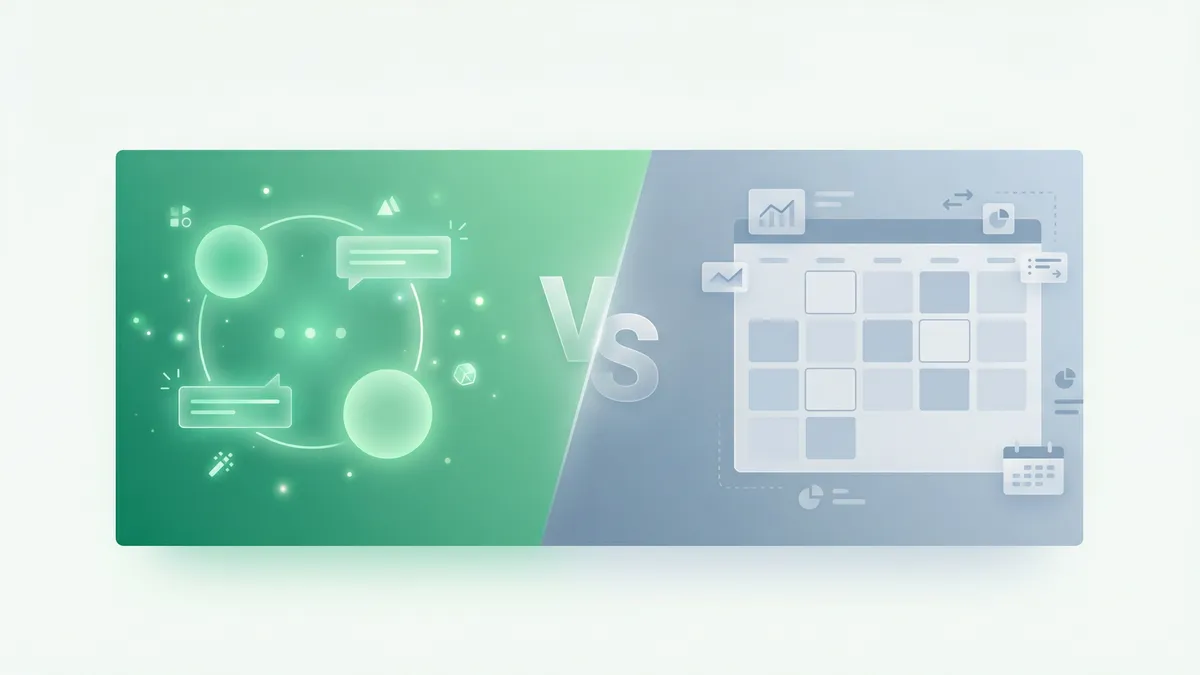
Outfeed AI vs Buffer — two social media management tools with fundamentally different approaches. Buffer gives you a clean dashboard where you write and schedule posts yourself. Outfeed AI gives you an AI chat interface that writes, optimizes, and publishes posts for you.
If you’re evaluating both tools and trying to decide which one fits your workflow, this comparison breaks down every major difference: features, pricing, AI capabilities, platform support, and the day-to-day experience of using each tool.
Table of Contents
- Quick Comparison
- How Each Tool Works
- AI Content Creation
- Platform Support
- Pricing Comparison
- Scheduling and Content Calendar
- Brand Voice and Consistency
- Team Collaboration
- Free Tools and Resources
- Who Should Use Which Tool
- The Verdict
- Frequently Asked Questions
Quick Comparison
Here’s a side-by-side overview of the two platforms:
| Feature | Outfeed AI | Buffer |
|---|---|---|
| Approach | Chat-first AI interface | Traditional dashboard |
| AI content creation | Native (conversational) | AI Assistant (limited) |
| Brand Voice AI | Yes (Pro plan) | No |
| Platforms | 9 | 8 |
| Starting price | $19/mo (10 accounts) | Free (3 channels) |
| Per-channel pricing | No (flat rate) | Yes ($5-10/mo per channel) |
| Unlimited posts | All plans | Essentials ($5/mo/channel) |
| Free tier | 7-day trial | Yes (3 channels, 10 posts each) |
| Team members | 2-unlimited | 1-unlimited |
| Free tools suite | 13 tools | No |
| Per-platform previews | Yes | Yes |
| Analytics | Yes | Yes |
| Content calendar | Yes | Yes |
| Link-in-bio | No | Yes (Start Page) |
| Engagement inbox | No | Yes |
Both tools get the job done. The difference is how they get it done — and that’s where your decision should start.
How Each Tool Works
Outfeed AI: Chat-First
Outfeed AI replaces the traditional post composer with a chat interface. You type something like “Write a product launch post for all my platforms” and the AI generates tailored content for every connected network.
The workflow is:
- Type a message describing what you want to post
- Review per-platform previews — each post is optimized for the platform’s format and audience
- Approve and publish — instantly or scheduled for the optimal time
There’s no blank text box staring at you. No switching between platform tabs. The AI does the creative heavy lifting while you focus on direction and approval.
For a deeper look at how Outfeed AI works, read our complete product guide.
Buffer: Dashboard-First
Buffer follows the traditional social media management model. You open a post composer, write your content, optionally add images, and select which platforms to publish to.
The workflow is:
- Open the composer and write your post manually
- Customize per platform — adjust content for each network
- Schedule or publish — pick a time or add to your queue
Buffer’s strength is its simplicity. The interface is clean, the learning curve is minimal, and everything is exactly where you’d expect it. If you already know what you want to say and just need a tool to schedule it, Buffer is straightforward.
The Core Difference
The fundamental difference is who does the creative work:
- Outfeed AI: You provide the idea. The AI writes the content.
- Buffer: You write the content. The tool distributes it.
This matters because content creation is typically the most time-consuming part of social media management. If you spend 30-60 minutes per day writing posts, Outfeed AI can reduce that to 5-10 minutes of reviewing and approving AI-generated content.
AI Content Creation
This is where the two tools diverge most sharply.
Outfeed AI’s AI
Outfeed AI is built around AI from the ground up. The entire interface is a conversation with an AI assistant that:
- Generates platform-optimized content for all 9 platforms from a single message
- Adapts tone and format per platform — professional on LinkedIn, casual on Instagram, concise on Twitter/X
- Suggests content ideas when you’re not sure what to post
- Creates bulk content — ask for a week’s worth of posts in one message
- Respects character limits — automatically adjusts content for each platform’s constraints
The AI isn’t a feature bolted onto an existing tool. It is the tool. Every interaction flows through the conversational interface.
Buffer’s AI Assistant
Buffer added its AI Assistant as a feature within the existing post composer. It can:
- Generate caption suggestions based on a topic or prompt
- Suggest reply ideas for engagement
- Repurpose content — turn a blog post into social content
On the free plan, you get 5 AI credits per week. Paid plans include unlimited AI credits.
Buffer’s AI is helpful for overcoming writer’s block or getting a starting point. But it’s a writing aid, not a full content engine. You still work inside the traditional composer — you write a prompt, get a suggestion, edit it, and manually format it for each platform.
AI Comparison Summary
| Capability | Outfeed AI | Buffer |
|---|---|---|
| AI writes full posts | Yes | Suggestions only |
| Per-platform optimization | Automatic | Manual |
| Chat-first interface | Yes | No (AI inside composer) |
| AI credits (free) | 7-day trial (full access) | 5/week |
| AI credits (paid) | Unlimited | Unlimited |
| Content idea generation | Yes | Limited |
| Bulk content creation | Yes (via chat) | No |
If AI-powered content creation is what you’re after, Outfeed AI is purpose-built for it. If you prefer writing your own content and only need occasional AI suggestions, Buffer’s assistant is sufficient.
Platform Support
Outfeed AI: 9 Platforms
Outfeed AI publishes to:
- Instagram — Feed posts, Stories, Reels
- TikTok — Videos and captions
- LinkedIn — Posts and articles
- Twitter/X — Tweets and threads
- Facebook — Pages and groups
- Threads — Text, images, and video posts
- YouTube — Descriptions and community posts
- Pinterest — Pins with optimized descriptions
- Bluesky — Posts for the decentralized network
Buffer: 8 Platforms
Buffer publishes to:
- Instagram — Feed posts, Stories, Reels
- TikTok — Videos
- LinkedIn — Posts
- Twitter/X — Tweets
- Facebook — Pages
- Threads — Posts
- Pinterest — Pins
- Bluesky — Posts
The Difference
Outfeed AI includes YouTube — Buffer doesn’t. If YouTube is part of your social media strategy, that’s a meaningful gap. YouTube is the world’s second-largest search engine and a critical platform for video-first brands.
For all other platforms, coverage is essentially identical. Both tools support the major networks that matter for most social media strategies.
Pricing Comparison
This is where the comparison gets nuanced, because the two tools use completely different pricing models.
Outfeed AI: Flat Monthly Pricing
| Plan | Monthly | Annual | Accounts | Posts | Team |
|---|---|---|---|---|---|
| Starter | $19/mo | $15/mo | 10 | Unlimited | 2 |
| Pro | $29/mo | $24/mo | 25 | Unlimited | 5 |
| Business | $39/mo | $32/mo | Unlimited | Unlimited | Unlimited |
You pay one flat price regardless of how many channels you connect (up to your plan’s limit). There are no per-channel surcharges.
Buffer: Per-Channel Pricing
| Plan | Price | Channels | Posts | AI Credits |
|---|---|---|---|---|
| Free | $0 | 3 | 10/channel/mo | 5/week |
| Essentials | $5/mo/channel | Unlimited | Unlimited | Unlimited |
| Team | $10/mo/channel | Unlimited | Unlimited | Unlimited |
Buffer’s pricing scales linearly with the number of channels. Each social account costs an additional $5 or $10 per month.
The Math: Which Is Cheaper?
The answer depends on how many social accounts you manage:
| Accounts | Outfeed AI (Starter) | Buffer (Essentials) | Winner |
|---|---|---|---|
| 1 | $19/mo | $5/mo | Buffer |
| 3 | $19/mo | $15/mo | Buffer |
| 4 | $19/mo | $20/mo | Outfeed AI |
| 5 | $19/mo | $25/mo | Outfeed AI |
| 10 | $19/mo | $50/mo | Outfeed AI |
| 15 | $29/mo (Pro) | $75/mo | Outfeed AI |
| 25 | $29/mo (Pro) | $125/mo | Outfeed AI |
At 4+ channels, Outfeed AI is cheaper than Buffer’s Essentials plan. And Outfeed AI’s pricing includes AI content creation, per-platform previews, and smart scheduling at every tier — features that either cost more or don’t exist on Buffer.
Buffer does offer a free tier (3 channels, 10 posts each per month) that Outfeed AI doesn’t match. If you only manage 1-3 accounts and post fewer than 10 times per month per channel, Buffer’s free plan is hard to beat on price alone.
For a detailed breakdown of what each Outfeed AI tier includes, see our Outfeed AI pricing guide.
Scheduling and Content Calendar
Both tools offer scheduling and content calendars, but the experience differs.
Outfeed AI
- AI-suggested optimal times based on audience engagement patterns
- Visual content calendar with drag-and-drop rescheduling
- Bulk scheduling via chat — ask for a week of content and schedule it all at once
- Auto-scheduling that picks the best time for each platform
Buffer
- Custom scheduling slots — set your preferred posting times and Buffer queues content
- Visual content calendar with an intuitive drag-and-drop interface
- Queue management — add posts to a queue and they publish at your preset times
- Optimal timing suggestions on paid plans
Both tools handle scheduling well. Buffer’s queue system is especially elegant if you like batch-creating content and letting it drip out on a set schedule. Outfeed AI’s advantage is that you can generate and schedule content in a single conversation — the AI creates the posts and schedules them in one step.
Brand Voice and Consistency
Outfeed AI: Brand Voice AI
Available on the Pro plan ($29/mo), Brand Voice AI learns your communication style over time. It analyzes your tone, vocabulary, and messaging patterns so every AI-generated post sounds like you wrote it — not generic AI output.
The Business plan ($39/mo) adds custom AI training for even more precise voice matching, which is especially valuable for agencies managing multiple client brands.
Buffer: No Brand Voice
Buffer doesn’t offer a brand voice feature. Its AI Assistant generates content based on general patterns, not your specific brand identity. Maintaining brand consistency is your responsibility — you need to manually edit AI suggestions to match your voice.
Why This Matters
If you’re a creator or business with a distinctive voice, Brand Voice AI is a significant differentiator. The difference between “AI-generated content that sounds like everyone else” and “AI-generated content that sounds like you” can define how authentic your social media presence feels.
Team Collaboration
Outfeed AI
| Plan | Team Members |
|---|---|
| Starter | 2 |
| Pro | 5 |
| Business | Unlimited |
All team members share the same chat interface, manage multiple brands through organization workspaces, and have access to the full content calendar.
Buffer
| Plan | Team Members |
|---|---|
| Free | 1 |
| Essentials | 1 |
| Team | Unlimited |
Buffer’s Team plan ($10/mo/channel) unlocks collaboration features including approval workflows, permissions, and shared calendars. The Essentials plan is single-user only.
The Difference
Outfeed AI includes team members at every tier (2 on Starter). Buffer requires the Team plan for collaboration, which doubles the per-channel cost from $5 to $10. For a team managing 10 channels, that’s $100/mo on Buffer Team vs $19/mo on Outfeed AI Starter.
Free Tools and Resources
Outfeed AI: 13 Free Tools
Outfeed AI offers a suite of free social media tools that anyone can use without an account:
- Instagram Hashtag Generator
- TikTok Caption Generator
- YouTube Tag Generator
- Social Media Post Creator
- LinkedIn Text Formatter
- UTM Generator
- And 7 more tools for Instagram, TikTok, and YouTube
These tools are genuinely useful standalone resources — no signup, no credit card, no catch.
Buffer: Start Page + Blog
Buffer offers Start Page, a free link-in-bio tool, and maintains one of the most respected social media marketing blogs in the industry at buffer.com/resources. Buffer’s educational content is excellent and has been a go-to resource for social media marketers for years.
Buffer doesn’t offer free utility tools like hashtag generators or caption creators.
The Difference
Different approaches to free value. Outfeed AI provides practical tools that solve specific tasks. Buffer provides educational content that teaches broader strategy. Both are valuable — the question is which type of free resource you’ll use more often.
Who Should Use Which Tool
Choose Outfeed AI If You…
- Want AI to write your social media content — the chat-first interface is Outfeed AI’s core advantage
- Manage 4+ social accounts — flat pricing becomes cheaper than Buffer’s per-channel model
- Care about brand voice consistency — Brand Voice AI learns your style (Pro plan)
- Need YouTube support — Buffer doesn’t support YouTube
- Want to publish everywhere from one message — one chat message creates content for all 9 platforms
- Value speed over control — AI-generated content means less time writing, more time reviewing
Choose Buffer If You…
- Prefer writing your own content — Buffer’s composer is clean and focused
- Only manage 1-3 channels — the free tier or low per-channel cost is more economical
- Want a free option — Buffer’s free plan (3 channels, 10 posts each) has no Outfeed AI equivalent
- Need a link-in-bio tool — Buffer’s Start Page is included free
- Want an engagement inbox — Buffer lets you manage comments and replies from one place
- Prefer a traditional dashboard — if you know exactly what you want to post and don’t need AI
The Overlap
Both tools handle basic social media scheduling well. If you’re primarily looking for a way to schedule pre-written content across a few platforms, either tool works. The decision comes down to:
- Do you want AI to create your content? → Outfeed AI
- Do you want to create content yourself? → Buffer
The Verdict
Outfeed AI and Buffer solve the same problem in fundamentally different ways.
Buffer is a mature, well-loved tool with a decade of polish. It’s excellent at what it does: giving you a simple, reliable place to schedule and publish social media content. If you write your own posts and just need a scheduling tool, Buffer’s simplicity and free tier are compelling.
Outfeed AI represents the next generation of social media management — where AI doesn’t just suggest content, it creates it. The chat-first interface, Brand Voice AI, per-platform optimization, and flat pricing model make it the better choice for anyone who wants to spend less time writing and more time growing their audience.
Our recommendation:
- For 1-3 channels with manual content: Buffer (especially the free tier)
- For 4+ channels or anyone who wants AI-powered content: Outfeed AI
Ready to try the AI-powered approach? Start your free 7-day trial of Outfeed AI — no credit card required.
Want to see how Outfeed AI compares to other tools? Read our comparisons with Hootsuite, Later, and Sprout Social.
Frequently Asked Questions
Is Outfeed AI better than Buffer?
Outfeed AI is better for users who want AI to write their social media content. Its chat-first interface generates platform-optimized posts from a single message, includes Brand Voice AI at $29/month, and supports 9 platforms. Buffer is better for users who prefer writing their own posts and want a free tier or the lowest possible entry price at $5/month per channel.
How does Outfeed AI pricing compare to Buffer?
Outfeed AI uses flat monthly pricing starting at $19/month for 10 accounts. Buffer uses per-channel pricing starting at $5/month per channel. For 1-3 channels, Buffer is cheaper. At 4+ channels, Outfeed AI costs less while including AI content creation, Brand Voice AI, and 9 platforms. For example, managing 10 channels costs $19/month on Outfeed AI vs $50/month on Buffer Essentials.
Does Buffer have AI features?
Buffer offers an AI Assistant that generates caption suggestions and reply ideas. The free plan includes 5 AI credits per week, and paid plans offer unlimited credits. However, Buffer’s AI is a writing aid within the traditional composer — it doesn’t offer a chat-first interface, Brand Voice AI, or automatic per-platform content optimization like Outfeed AI.
Can I switch from Buffer to Outfeed AI?
Yes. Outfeed AI supports all 8 platforms Buffer connects to plus YouTube. You can sign up for Outfeed AI’s 7-day free trial, connect your social accounts via OAuth, and start publishing immediately. There’s no data migration needed — just connect your accounts and start chatting.
Which tool supports more social media platforms?
Outfeed AI supports 9 platforms: Instagram, TikTok, LinkedIn, Twitter/X, Facebook, Threads, YouTube, Pinterest, and Bluesky. Buffer supports 8 platforms — the same list minus YouTube. If YouTube is part of your strategy, Outfeed AI has the edge.