
Outfeed AI vs Later: Side-by-Side Comparison for 2026
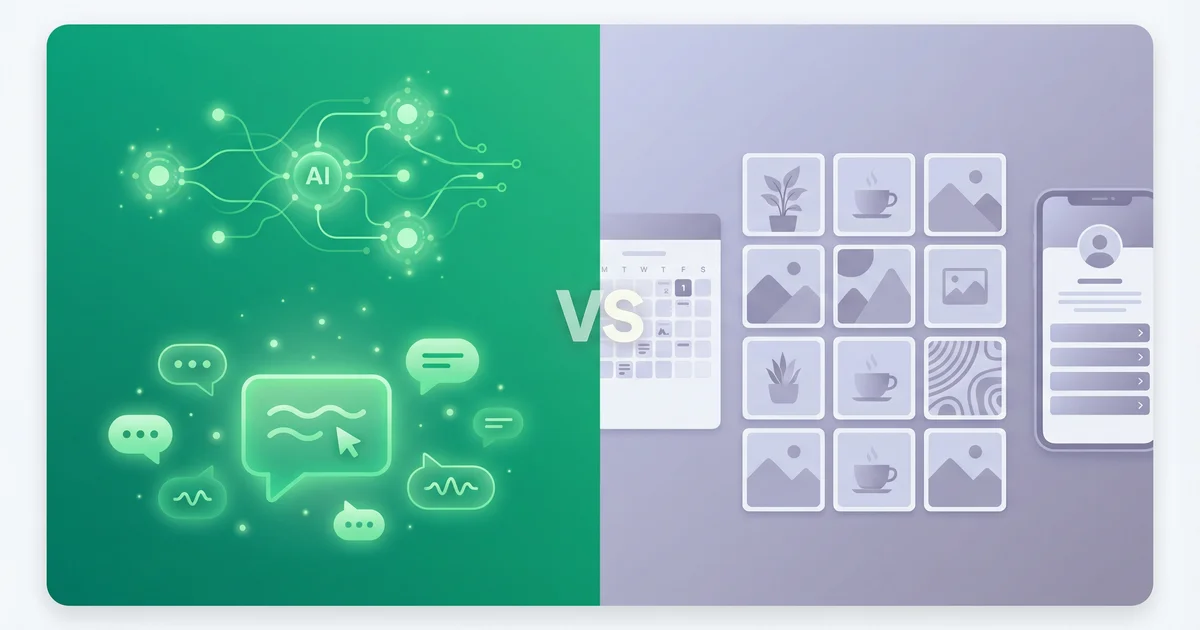
Outfeed AI vs Later — two social media management tools built on different philosophies. Later gives you a visual content calendar where you plan, preview, and schedule posts yourself. Outfeed AI gives you an AI chat interface that creates, optimizes, and publishes posts for you across 9 platforms.
If you’re choosing between the two, this comparison covers everything that matters: features, pricing, AI capabilities, platform support, and which tool fits different workflows.
Table of Contents
- Quick Comparison
- How Each Tool Works
- AI Content Creation
- Platform Support
- Pricing Comparison
- Scheduling and Content Calendar
- Brand Voice and Consistency
- Link-in-Bio
- Analytics and Reporting
- Team Collaboration
- Free Tools and Resources
- Who Should Use Which Tool
- The Verdict
- Frequently Asked Questions
Quick Comparison
Here’s a side-by-side overview of both platforms:
| Feature | Outfeed AI | Later |
|---|---|---|
| Approach | Chat-first AI interface | Visual calendar + composer |
| AI content creation | Native (conversational) | Basic caption writer |
| Brand Voice AI | Yes (Pro plan) | No |
| Platforms | 9 | 8 (no Bluesky, no X/Twitter) |
| Starting price | $19/mo (10 accounts) | $25/mo (1 social set) |
| Unlimited posts | All plans | Advanced ($80/mo) only |
| Free tier | 7-day trial | 14-day trial |
| Team members | 2-unlimited | 1-6+ |
| Free tools suite | 13 tools | No |
| Per-platform previews | Yes | Yes (visual focus) |
| Analytics | Yes | Yes |
| Content calendar | Yes | Yes (visual-first) |
| Link-in-bio | No | Yes (Linkin.bio) |
| Post limit (entry plan) | Unlimited | 30 per profile/month |
Both tools manage social media publishing. The difference is whether you want AI writing your content or a visual workspace for planning it yourself.
How Each Tool Works
Outfeed AI: Chat-First
Outfeed AI replaces the traditional post composer with a conversational AI interface. You describe what you want to post, and the AI generates platform-optimized content for every connected network.
The workflow is:
- Type a message — like “Create a product launch post for all my platforms”
- Review per-platform previews — each post is tailored to the platform’s format and audience
- Approve and publish — instantly or scheduled for the best time
No blank text box. No switching between platform tabs. The AI handles content creation while you focus on strategy and approval.
For a deeper look at how the platform works, read our complete Outfeed AI guide.
Later: Visual-First
Later was built with Instagram in mind and it shows. The platform revolves around a visual content calendar where you drag and drop posts into a grid layout, preview how your Instagram feed will look, and schedule content across platforms.
The workflow is:
- Create or upload content — write captions, attach images or videos
- Drag posts onto the calendar — visually plan your posting schedule
- Preview your feed — see exactly how your Instagram grid will look before publishing
Later’s strength is visual planning. If you’re a brand that cares deeply about Instagram aesthetics — how your grid looks as a whole — Later’s feed planner is genuinely useful.
The Core Difference
- Outfeed AI: You provide the idea. The AI creates the content.
- Later: You create the content. The tool helps you plan and schedule it.
This distinction matters most for content creation time. If you spend 30-60 minutes daily writing and formatting posts, Outfeed AI can cut that to 5-10 minutes of reviewing AI-generated content. Later streamlines the scheduling process but doesn’t reduce the creation workload.
AI Content Creation
This is where the two tools are furthest apart.
Outfeed AI’s AI
Outfeed AI is built around AI from the ground up. The entire interface is a conversation with an AI assistant that:
- Generates platform-optimized content for all 9 platforms from a single message
- Adapts tone and format per platform — professional on LinkedIn, casual on Instagram, concise on Twitter/X
- Creates bulk content — ask for a week’s worth of posts in one message
- Suggests content ideas when you’re stuck
- Respects character limits — automatically adjusts for each platform’s constraints
The AI isn’t an add-on feature. It is the product. Every interaction flows through the conversational interface.
Later’s AI
Later offers a basic AI caption writer that can generate captions with selectable tones — casual, professional, or custom. It’s a helpful starting point when you need caption inspiration.
However, Later’s AI is limited to:
- Caption suggestions based on a topic
- Hashtag recommendations for discoverability
- Limited AI credits that vary by plan
Later’s AI doesn’t write full multi-platform posts, doesn’t adapt content per platform, and doesn’t offer a conversational interface. You still write most of your content manually and use AI as an occasional assistant.
AI Comparison Summary
| Capability | Outfeed AI | Later |
|---|---|---|
| AI writes full posts | Yes | Caption suggestions only |
| Per-platform optimization | Automatic | Manual |
| Chat-first interface | Yes | No |
| Brand Voice AI | Yes (Pro) | No |
| Bulk content creation | Yes (via chat) | No |
| Content idea generation | Yes | Limited |
| AI credits | Unlimited (all plans) | Limited by plan |
If you want AI to handle content creation, Outfeed AI is purpose-built for it. If you prefer writing your own content and only need occasional caption help, Later’s basic AI may be enough.
Platform Support
Outfeed AI: 9 Platforms
Outfeed AI publishes to:
- Instagram — Feed posts, Stories, Reels, Carousels
- TikTok — Videos with captions and hashtags
- LinkedIn — Posts and articles
- Twitter/X — Tweets and threads
- Facebook — Pages and groups
- Threads — Text and image posts
- YouTube — Full video uploads with titles, descriptions, and tags
- Pinterest — Pins with optimized descriptions
- Bluesky — Posts for the decentralized network
Later: 8 Platforms
Later publishes to:
- Instagram — Feed posts, Stories, Reels, Carousels
- TikTok — Videos
- LinkedIn — Posts
- Facebook — Pages
- Pinterest — Pins
- Threads — Posts
- YouTube Shorts — Short-form video only
- Snapchat — Stories
Key Platform Differences
| Platform | Outfeed AI | Later |
|---|---|---|
| X/Twitter | Yes | No |
| Bluesky | Yes | No |
| YouTube (full) | Yes | Shorts only |
| Snapchat | No | Yes |
Later dropped X/Twitter support and doesn’t offer Bluesky — two notable gaps if those platforms are part of your strategy. Later also limits YouTube to Shorts only, while Outfeed AI supports full video uploads with titles, descriptions, and tags.
Later does support Snapchat, which Outfeed AI doesn’t. If Snapchat is critical to your workflow, that’s a point for Later.
For most social media strategies that include X/Twitter, Bluesky, or full YouTube, Outfeed AI has broader coverage.
Pricing Comparison
The two tools use fundamentally different pricing models — and the math matters.
Outfeed AI: Flat Monthly Pricing
| Plan | Monthly | Annual | Accounts | Posts | Team |
|---|---|---|---|---|---|
| Starter | $19/mo | $16/mo | 10 | Unlimited | 2 |
| Pro | $29/mo | $24/mo | 25 | Unlimited | 5 |
| Business | $39/mo | $32/mo | Unlimited | Unlimited | Unlimited |
One flat price. Unlimited posts on every plan. No per-channel surcharges.
Later: Social Set Pricing
| Plan | Monthly | Annual | Social Sets | Posts/Profile | Team | AI Credits |
|---|---|---|---|---|---|---|
| Starter | $25/mo | ~$17/mo | 1 | 30/month | 1 | Limited |
| Growth | $45/mo | ~$33/mo | 3 | 150/month | 3 | More |
| Advanced | $80/mo | ~$60/mo | 6 | Unlimited | 6 | 50 |
| Agency | $200+/mo | Custom | 15+ | Unlimited | 10+ | Custom |
Later uses a social set model. One social set equals one profile per platform (1 Instagram + 1 Facebook + 1 TikTok + 1 LinkedIn + 1 Pinterest). You need the Growth plan ($45/mo) just to manage 2-3 brands.
The Math: Which Is Cheaper?
| Scenario | Outfeed AI | Later | Savings |
|---|---|---|---|
| 1 brand, basic | $19/mo (Starter) | $25/mo (Starter) | $72/year with Outfeed AI |
| 1 brand, unlimited posts | $19/mo (Starter) | $80/mo (Advanced) | $732/year with Outfeed AI |
| 3 brands | $19/mo (Starter) | $45/mo (Growth) | $312/year with Outfeed AI |
| 6 brands | $29/mo (Pro) | $80/mo (Advanced) | $612/year with Outfeed AI |
| 10+ brands | $39/mo (Business) | $200+/mo (Agency) | $1,932+/year with Outfeed AI |
Outfeed AI is cheaper in every scenario. Even at the entry level — $19/mo vs $25/mo — Outfeed AI costs less and includes unlimited posts (Later’s Starter caps you at 30 posts per profile per month).
The gap widens dramatically at scale. Managing 6 brands costs $29/mo on Outfeed AI Pro vs $80/mo on Later Advanced. And Outfeed AI includes AI content creation, Brand Voice AI, and per-platform previews at those tiers — features Later doesn’t match.
Later does offer a 14-day free trial (vs Outfeed AI’s 7-day trial), giving you more time to evaluate before committing.
For a full breakdown of Outfeed AI’s tiers, see our Outfeed AI pricing guide.
Scheduling and Content Calendar
Both tools excel at scheduling, but the experience is different.
Outfeed AI
- AI-suggested optimal times based on audience engagement patterns
- Visual content calendar with drag-and-drop rescheduling
- Bulk scheduling via chat — generate and schedule a week of content in one conversation
- Auto-scheduling that picks the best time for each platform
Later
- Visual-first calendar — drag-and-drop interface built for visual planning
- Instagram feed preview — see how your grid will look before posting
- Best time to post suggestions on paid plans
- Media library for organizing visual assets
- Saved captions for reusing frequently used text
The Difference
Later’s calendar is designed around visual content planning — particularly for Instagram. The ability to preview your grid layout and rearrange posts until the aesthetic is right is genuinely useful for visually-driven brands.
Outfeed AI’s advantage is that scheduling is integrated into the AI workflow. You can generate and schedule content in a single conversation, which eliminates the separate steps of creating content, then opening the calendar, then scheduling it.
If your workflow revolves around visual feed planning, Later has the edge. If you want to go from idea to scheduled post in under a minute, Outfeed AI’s chat-based scheduling is faster.
Brand Voice and Consistency
Outfeed AI: Brand Voice AI
Available on the Pro plan ($29/mo), Brand Voice AI learns your communication style over time. It analyzes your tone, vocabulary, and messaging patterns so every AI-generated post sounds like you — not generic AI output.
This is especially valuable for:
- Brands with a distinct personality — the AI maintains your voice across all platforms
- Agencies managing multiple clients — each client brand gets its own voice profile
- Teams — every team member’s AI-generated content sounds consistent
Later: No Brand Voice
Later doesn’t offer a brand voice feature. Content consistency is entirely your responsibility. When using Later’s basic AI caption writer, the output follows general patterns — not your specific brand identity.
Why This Matters
The difference between “AI content that sounds like everyone else” and “AI content that sounds like your brand” defines how authentic your social media presence feels. For businesses with an established voice, Brand Voice AI is a meaningful differentiator.
Link-in-Bio
Later: Linkin.bio
Later’s Linkin.bio is one of its standout features. It creates a customizable mini landing page that mirrors your Instagram feed, where each post links to a specific URL. Key features include:
- Multiple links per post (up to 5)
- Shoppable product tags on Instagram posts
- Custom themes with colors, button styles, and layouts
- Analytics on link clicks and traffic
- Available on all plans (branded on free/Starter, unbranded on Growth+)
For Instagram-heavy creators and e-commerce brands, Linkin.bio is a compelling feature that bridges the gap between social content and website traffic.
Outfeed AI: No Link-in-Bio
Outfeed AI doesn’t offer a link-in-bio tool. If you need one, you’d use a standalone tool like Linktree, Buffer’s Start Page, or Later’s Linkin.bio alongside Outfeed AI.
The Difference
If link-in-bio functionality is central to your Instagram or TikTok strategy, Later has a clear advantage here. This is one of Later’s genuine differentiators — it’s not just a scheduling add-on, it’s a well-built standalone feature.
Analytics and Reporting
Outfeed AI
- Cross-platform engagement tracking across all 9 platforms
- Post performance metrics — likes, shares, comments, reach
- Audience growth insights over time
- Best time to post recommendations based on engagement data
- Available on all plans (basic on Starter, advanced on Pro+)
Later
- Instagram-focused analytics with deep feed and Stories insights
- Basic analytics (3 months) on Starter, full analytics (1 year) on Growth+
- Audience demographics and growth tracking
- Best time to post suggestions
- Content performance by type and format
The Difference
Later’s analytics are strongest for Instagram — reflecting its origins as an Instagram-first tool. If Instagram is your primary platform and you want detailed feed analytics, Later provides solid data.
Outfeed AI offers broader cross-platform analytics that cover all 9 platforms equally. If you manage a multi-platform strategy, Outfeed AI gives you a more complete picture without Instagram-weighted bias.
Note that Later’s Starter plan limits analytics to 3 months of historical data and 30 posts per profile — you need the Growth plan ($45/mo) for full analytics and more post capacity.
Team Collaboration
Outfeed AI
| Plan | Team Members |
|---|---|
| Starter | 2 |
| Pro | 5 |
| Business | Unlimited |
Team members share the same AI chat interface, content calendar, and organization workspaces. Collaboration is included at every pricing tier.
Later
| Plan | Team Members |
|---|---|
| Starter | 1 |
| Growth | 3 |
| Advanced | 6 |
| Agency | 10+ |
Later’s Starter plan is single-user only. You need the Growth plan ($45/mo) for even 3 team members.
The Difference
Outfeed AI includes 2 team members from the $19/mo Starter plan. Later requires the $45/mo Growth plan just to add a second user. For small teams, that’s a significant cost difference — $19/mo vs $45/mo — and Outfeed AI includes unlimited posts at that price while Later’s Growth plan caps at 150 posts per profile.
Free Tools and Resources
Outfeed AI: 13 Free Tools
Outfeed AI offers a suite of free social media tools that anyone can use without an account:
- Instagram Hashtag Generator — find trending and niche hashtags
- TikTok Caption Generator — create scroll-stopping TikTok captions
- YouTube Tag Generator — optimize video discoverability
- Instagram Grid Maker — split images into grid layouts
- Social Media Post Creator — generate posts for any platform
- UTM Generator — build campaign tracking URLs
- Plus 7 more tools for Instagram, TikTok, YouTube, and LinkedIn
No signup, no credit card, no catch.
Later: Blog + Linkin.bio
Later offers educational content through their blog and the Linkin.bio tool (available in a basic form on all plans). They don’t provide free standalone utility tools like hashtag generators or caption creators.
The Difference
Outfeed AI provides practical tools that solve specific tasks right now. Later invests in educational content and their link-in-bio product. Both approaches add value — the question is whether you need free tools for daily social media tasks or a link-in-bio solution for Instagram.
Who Should Use Which Tool
Choose Outfeed AI If You…
- Want AI to create your social media content — the chat-first interface is the core advantage
- Need broad platform coverage — 9 platforms including X/Twitter, Bluesky, and full YouTube
- Want unlimited posts at every price point — no post caps on any plan
- Manage multiple brands on a budget — flat pricing is dramatically cheaper at scale
- Care about brand voice consistency — Brand Voice AI learns your style (Pro plan)
- Value speed — go from idea to published post across all platforms in under a minute
Choose Later If You…
- Plan visually — Later’s Instagram feed preview and visual calendar are genuinely excellent
- Run an Instagram-heavy strategy — Later was built for Instagram and it shows
- Need link-in-bio — Linkin.bio is a strong, well-integrated feature
- Sell products on Instagram — shoppable post tags in Linkin.bio connect content to commerce
- Publish to Snapchat — Later supports Snapchat; Outfeed AI doesn’t
- Prefer hands-on content creation — if you want to write every word yourself
The Overlap
Both tools schedule and publish social media content. If you’re purely looking for a scheduler and don’t need AI content creation, either tool works. The decision comes down to:
- Do you want AI writing your content? → Outfeed AI
- Do you want a visual Instagram-first planner? → Later
The Verdict
Outfeed AI and Later serve different types of social media managers.
Later is a solid visual planning tool with strong Instagram DNA. If your strategy revolves around curating a beautiful Instagram grid, using link-in-bio to drive traffic, and manually crafting each post — Later does that well. Its visual calendar and feed preview are the best in class for aesthetic-focused planning.
Outfeed AI represents a different approach entirely — where AI doesn’t just suggest captions, it creates complete, platform-optimized content from a single conversation. The chat-first interface, Brand Voice AI, broader platform support (including X/Twitter and Bluesky), and flat pricing make it the better choice for anyone who wants to spend less time creating content and more time growing their audience.
Our recommendation:
- For Instagram-focused visual planning with link-in-bio: Later
- For AI-powered multi-platform content creation: Outfeed AI
The pricing also tells a clear story. Outfeed AI starts at $19/mo with unlimited posts and 10 accounts. Later starts at $25/mo with 30 posts per profile and 1 social set. At every tier, Outfeed AI delivers more accounts, more posts, and more AI features for less money.
Ready to try the AI-powered approach? Start your free 7-day trial of Outfeed AI — no credit card required.
Want to see how Outfeed AI compares to other tools? Read our comparisons with Buffer, Hootsuite, and Sprout Social.
Frequently Asked Questions
Is Outfeed AI better than Later?
Outfeed AI is better for users who want AI-powered content creation and broader platform coverage. Its chat-first interface writes posts for you, supports 9 platforms including Bluesky and full YouTube, and uses flat pricing starting at $19/month. Later is better for visual planners who want a drag-and-drop Instagram feed planner and a built-in link-in-bio tool.
How does Outfeed AI pricing compare to Later?
Outfeed AI starts at $19/month for 10 social accounts with unlimited posts. Later starts at $25/month for 1 social set (1 profile per platform) with only 30 posts per profile per month. At every tier, Outfeed AI includes more accounts, unlimited posts, and AI content creation — making it the better value. For example, managing 6 brands costs $29/month on Outfeed AI vs $80/month on Later.
Does Later have AI features?
Later offers a basic AI caption writer that generates captions with selectable tones — casual, professional, or custom. However, it’s limited to caption suggestions within the composer. Later doesn’t offer a chat-first interface, Brand Voice AI, or automatic per-platform content optimization like Outfeed AI.
Can I switch from Later to Outfeed AI?
Yes. Outfeed AI supports all major platforms Later connects to plus X/Twitter and Bluesky. Sign up for Outfeed AI’s 7-day free trial, connect your social accounts via OAuth, and start publishing immediately. No data migration is needed — just connect and go.
Does Later support Bluesky and full YouTube?
Later supports YouTube Shorts but not full YouTube video uploads with titles, descriptions, and tags. Later does not support Bluesky or X/Twitter. Outfeed AI supports both full YouTube publishing and Bluesky, along with 7 other platforms for a total of 9.