
Best Time to Post on LinkedIn in 2026 (Day-by-Day Data)
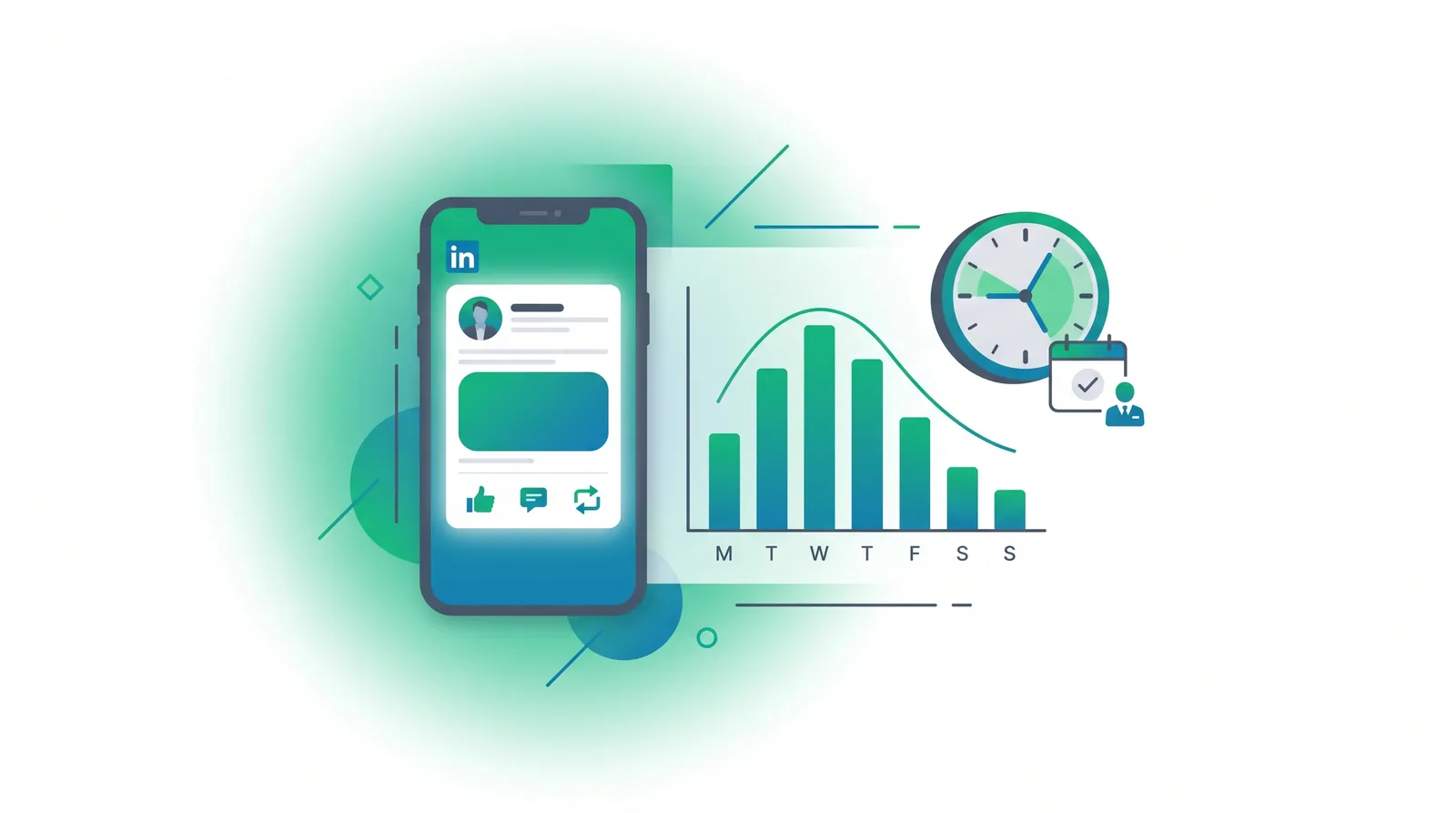
The best time to post on LinkedIn is Tuesday through Thursday between 10 and 11 AM in your audience’s time zone, with Wednesday at 11 AM the single strongest slot. LinkedIn has never published an early-engagement window, but it does say it looks at how quickly people engage, so posting during weekday business hours puts your post in front of a live audience rather than an empty feed. Weekends perform worst.
That headline answer holds for most accounts, but LinkedIn is a professional network — so timing skews to working hours far harder than consumer platforms do. In this guide you’ll get a reconciled day-by-day table, three distinct playbooks for B2B, personal brand, and creator accounts, a format-by-time matrix for carousels versus text versus video, and a copy-pasteable 14-day test to find your peak. Everything is sourced and dated for 2026.
Table of Contents
- What Is the Best Time to Post on LinkedIn?
- Why Timing Matters on LinkedIn
- Best Time to Post on LinkedIn in 2026 by Day
- What Is the Best Day to Post on LinkedIn?
- Worst Times to Post on LinkedIn
- Best Time to Post for B2B vs. Personal Brand vs. Creator
- Does Post Format Change the Timing?
- How Often Should You Post on LinkedIn?
- Why the Studies Disagree (and What to Trust)
- How to Find Your Own Best Time to Post on LinkedIn
- Schedule LinkedIn Posts at the Right Time with Outfeed AI
- Frequently Asked Questions
What Is the Best Time to Post on LinkedIn?
The best time to post on LinkedIn is Tuesday through Thursday, 10 AM–2 PM in your audience’s local time, with the 10–11 AM window strongest and Wednesday at 11 AM the single highest-performing slot. Across the four largest 2026 studies, midweek business hours win every time, and weekends lose.
This is the consensus, not a rule. LinkedIn distributes posts based on early engagement, so the real best time is whenever your specific decision-makers are scrolling. Use the table below as a tested starting hypothesis, then verify it against your own analytics. Unlike consumer feeds — see the best time to post on Instagram, TikTok, and Facebook, where evenings and weekends shine — LinkedIn skews hard toward the workday. The same split shows up in tagging: our rundown of the best hashtags for each platform sets LinkedIn’s unofficial three-to-five convention against Instagram’s hard five-tag cap.
Why Timing Matters on LinkedIn
Post when your audience is live, so early engagement comes from real people rather than nobody. LinkedIn does not publish how distribution expands, and the widely-repeated “small test audience then wider push” funnel appears in no LinkedIn source. What LinkedIn does say is that it considers how quickly people engage — which is reason enough to publish when your audience is actually online.
You will see a precise “distribution cascade” described across the web — a 60-minute spam check, a two-hour golden window, then 8-hour and 24-hour evaluation pushes. None of it is in any LinkedIn source. The stage timings, the window lengths and the comment-to-like multipliers that usually accompany them are creator folklore, not documented mechanics. We go through what LinkedIn has actually said, and what it has not, in how the LinkedIn algorithm works. The practical advice survives the debunking intact: publish when your audience is online.
Not all signals weigh the same. Dwell time — how long someone stops to read — is a confirmed ranking input. LinkedIn’s own engineering team built its feed ranking around dwell time precisely because it predicts engagement better than clicks alone, as detailed in its write-up on leveraging dwell time; third-party analyses of that data suggest members who pause 60+ seconds engage far more than those who glance for a few seconds and scroll on. Whether comments outweigh likes is genuinely unknown — LinkedIn’s LiRank paper confirms both are predicted and combined, but publishes no weights, so the multipliers you see quoted are invented. What is uncontroversial is that author replies pull in more comments, which is another reason to post when you can actively engage. Worth separating the sourced from the circulated here: LinkedIn Engineering did publish, on 12 May 2020, that it measures dwell time on the feed and that dwell starts counting once at least half of an update is visible — but it has never published the stage timings above, any window length, or a comment-to-like multiplier. Our guide to how the LinkedIn ranker actually decides reach labels every claim with its source, its date and a confidence level.
Best Time to Post on LinkedIn in 2026 by Day
The best time to post on LinkedIn by day clusters around weekday late mornings, peaking Tuesday through Thursday. Below is the reconciled day-by-day table, synthesizing the largest 2026 studies from Sprout Social, Buffer, Hootsuite, and AuthoredUp.
Times are in your audience’s local time zone. Windows synthesize four 2026 studies; treat as a starting point and verify against your own analytics.
| Day | Best window (audience local time) | Engagement vs. average |
|---|---|---|
| Monday | 10 AM–12 PM | Low–moderate (slow start, inbox triage) |
| Tuesday | 10–11 AM, 1–2 PM | High |
| Wednesday | 10–11 AM (peak 11 AM), 1–2 PM | Highest — best day |
| Thursday | 10–11 AM, 1–2 PM | High |
| Friday | 11 AM, 1 PM | Moderate (decays after lunch) |
| Saturday | — (creators: ~10 PM wildcard) | Worst (45–70% drop) |
| Sunday | — (creators: ~7 AM wildcard) | Worst (45–70% drop) |
Local time · as of June 2026. One 2026 shift to note: Buffer’s analysis of 4.8 million posts flags a rising late-afternoon-to-evening signal — roughly 3–8 PM — for high-dwell formats like documents and video, as professionals catch up after meetings. The midday windows remain the safe default, but if your audience over-indexes on long-form, the early-evening slot is worth testing.
What Is the Best Day to Post on LinkedIn?
Wednesday is the best day to post on LinkedIn, with Tuesday and Thursday close behind. This midweek trio wins across every major 2026 study. If you can only nail one slot per week, make it Wednesday around 11 AM.
The reason is structural. LinkedIn is a professional network, so its rhythm follows the workweek: Monday is lost to inbox triage and meeting prep, Friday attention drifts toward the weekend by early afternoon, and Saturday and Sunday are largely empty of working professionals. That leaves the Tuesday-through-Thursday core as the reliable engine. The day-of-week consensus is the strongest signal in all the data — far more reliable than any single “magic minute.”
Worst Times to Post on LinkedIn
The worst times to post on LinkedIn are overnight (midnight–5 AM), early Monday morning, Friday afternoon, and all of Saturday and Sunday. Posting into these dead zones means your content collects almost no early engagement, so the algorithm never picks it up — and even a strong post stalls in the feed.
Here’s the breakdown:
- Overnight, midnight–5 AM — professionals are offline; early engagement has nobody to come from.
- Early Monday — people are clearing inboxes and planning the week, not scrolling the feed.
- Friday afternoon — engagement decays steadily after lunch as attention shifts to the weekend.
- Saturday and Sunday — engagement drops 45–70% for most accounts. Scheduling B2B for a Saturday means speaking to an empty room.
The one asterisk is creator and personal-brand content, covered next — a loyal following can make off-hours viable in a way it never is for a company page.
Best Time to Post for B2B vs. Personal Brand vs. Creator
The single biggest mistake in most LinkedIn timing guides is collapsing everyone into one recommendation. A B2B company page, a personal thought-leader profile, and a full-time creator follow three genuinely different schedules. Here’s the playbook for each.
B2B / Company Page
Post Tuesday–Thursday, 8–11 AM in your decision-makers’ time zone — the mid-morning window before calendars fill with meetings is when buyers actually check the feed. Lead with the workday and lean on your analytics, since company pages give you full data.
The catch: organic company-page content now makes up only about 2% of the average feed, down from roughly 7% in 2022. Pages are heavily distribution-gated, so timing alone won’t save weak reach. Pair tight scheduling with the personal-profile strategy below — the two work best together.
Personal Brand / Thought Leader
Post Tuesday–Thursday during the 7–9 AM commute window and the 12–1 PM lunch echo. Personal profiles ride the relationship graph far more generously than pages: the same content routed through a person can reach roughly 5–10x more people and earn dramatically more engagement than the brand page would.
This is the highest-leverage move on the platform. If you run B2B marketing, don’t just post from the company page — route your best content through founders, executives, and employees as personal posts. Use our free LinkedIn text formatter to add bold, line breaks, and bullets that boost the dwell time the algorithm rewards, and the LinkedIn headline generator to sharpen the profile those posts point back to, finished with a banner at the right LinkedIn banner size. The free LinkedIn hashtag generator completes the set, returning three to five professionally framed tags rather than the thirty a consumer hashtag tool would hand you.
Creator
Creators are the only profile where early-Saturday mornings and evenings genuinely work. A loyal, engaged following changes the math: the top 1% of weekend posts can outperform an average weekday post, because your audience shows up for you rather than for work.
If you’re building a creator brand, treat the standard weekday windows as your base and test the wildcard slots — Saturday around 10 PM, Sunday around 7 AM — where the feed is quiet and a dedicated audience still engages. Just confirm with your own data before committing; this only works once you’ve built reciprocal engagement.
Does Post Format Change the Timing?
Format amplifies; timing positions. The best windows are the same across formats — Tuesday through Thursday, business hours — but each format earns more reach within those windows by satisfying a different signal. You don’t post a carousel on a different day; you post it at the time of day that maximizes its strength.
| Post type | Best timing (Tue–Thu, audience local) | Drives |
|---|---|---|
| Text post | 8–11 AM | Comments, longer feed life |
| Document / carousel | 7:30–11 AM + 12–2 PM | Saves, dwell, up to 596% more engagement |
| Native video | 12–2 PM + 5–7 PM | Watch time / dwell |
| Poll | 10 AM–12 PM | First-hour momentum |
Reading the matrix:
- Text posts thrive in the 8–11 AM comment window — they’re cheap to read and quick to react to, so they rack up the comments that drive feed life.
- Documents and carousels are the dwell-time champions. Posted into the 7:30–11 AM browse window and the 12–2 PM lunch slot, they earn saves and long read times — research suggests up to 596% more engagement and 2–3x the reach of plain text, though treat the exact multipliers as directional.
- Native video needs sustained watch time, so it favors midday and the rising 5–7 PM post-meeting window when people have a moment to actually watch.
- Polls live or die on first-hour momentum; the 10 AM–noon slot catches the most voters early. Track each format on its own schedule — your best carousel hour is rarely your best poll hour.
How Often Should You Post on LinkedIn?
Aim for three to five posts per week, in your peak windows, consistently. That’s the sweet spot for staying visible without flooding the feed or burning yourself out. Consistency in the right windows beats chasing one perfect minute.
There’s a real distribution payoff to frequency. Moving from one post per week to two-to-five flips how the algorithm treats your account, expanding the audience LinkedIn is willing to test your content against. But the gains taper quickly past five, and quality drops if you stretch too thin. Pick your three-to-five strongest slots across Tuesday–Thursday and protect them.
Why the Studies Disagree (and What to Trust)
The studies disagree because they measure different audiences, not because the data is wrong. Sprout Social and AuthoredUp point to midday business hours. Buffer’s 4.8-million-post dataset highlights a rising 3–8 PM evening signal. Hootsuite leans early-morning. Buffer even uniquely calls Monday and Tuesday the weakest days — contradicting nearly everyone.
So why the spread? Three reasons:
- Different user bases — a B2B-skewed dataset peaks at 10 AM; a creator-skewed one peaks in the evening. Same platform, different crowds.
- Time-zone normalization — some studies convert everything to one zone, others report raw local times, which shifts the apparent peak.
- Metric definitions — “engagement” might mean clicks, comments, or impressions depending on the study, and each metric peaks at a slightly different hour.
The safe, citable through-line across all of them: comments drive reach, and Wednesday is consistently best for comments. Sprout Social’s analysis of 2 billion engagements and LinkedIn’s own marketing guidance both land on weekday business hours. When credible studies diverge, the honest answer is the same one: test your own audience.
How to Find Your Own Best Time to Post on LinkedIn
Your best time to post is when your audience is online — and LinkedIn’s native analytics get you most of the way there for free. Published charts are the hypothesis; here’s how to confirm it.
- Find your audience’s time zone — In LinkedIn analytics, open Followers → Top locations (or Demographics) to see where your audience actually lives. This is the zone every window above should be converted to.
- Cross-reference your post timestamps — Look at your best-performing recent posts and note what time of day they went out. Patterns emerge fast.
- Run the 14-day test — Pick one format (say, text posts). Post at two different windows — for example, 8 AM versus 11 AM — alternating days across two weeks.
- Track three metrics per post — impressions, engagement rate, and early velocity (how many reactions/comments land in the first hour or two). Velocity is the leading indicator the others follow.
- Pick the winner, then test the next variable — lock in the better window, then run the same test on a second format or a second time slot. Written up with its dates and both windows’ numbers, a test like this also makes a solid case study for a social media manager portfolio.
For a distributed audience, weight your windows by location share. Say your followers break down as 40% US, 30% EMEA, 20% APAC. Schedule for your single largest segment’s business hours first (US, here), then add a secondary slot for EMEA — don’t try to satisfy all three with one post. To see which slots drive real clicks rather than just impressions, tag your links with our free UTM generator.
One note on account maturity: if you’re under ~1,000 followers or just starting out, prioritize consistency and replying to early comments over the “perfect” slot. Engaging with people who show up early is worth more than the exact minute you posted. The optimal-minute optimization matters far more once you have enough audience for the data to be meaningful.
Schedule LinkedIn Posts at the Right Time with Outfeed AI
Converting time zones by hand, juggling a separate schedule per format, and remembering to reply while people are still reading is exactly the busywork that makes people abandon optimal timing. Buffer, Hootsuite, Later, and Sprout Social are all solid schedulers — but they still expect you to operate a dashboard, one platform at a time.
This is where Outfeed AI takes a different approach. It’s chat-first: tell the AI your audience’s top locations and it picks the window, then drafts and cross-posts across all 9 platforms from one conversation. You can say “schedule this carousel for Wednesday at 11 AM in my audience’s time zone and cross-post it to Instagram,” and it’s done — with your brand voice kept consistent. Plans start at $29/month, with Pro at $59/month including 3 team members; see the full Outfeed AI pricing breakdown, or start scheduling with Outfeed AI.
Want to draft something right now? Use the free social media post creator, or explore all our free social media tools.
Frequently Asked Questions
What is the best time to post on LinkedIn?
The best time to post on LinkedIn is Tuesday through Thursday, 10 AM–2 PM in your audience’s time zone, with the 10–11 AM window strongest and Wednesday at 11 AM the single highest-performing slot. LinkedIn weighs early engagement, so weekday business hours work best and weekends perform worst.
What is the best day to post on LinkedIn?
Wednesday is the best day to post on LinkedIn, closely followed by Tuesday and Thursday. These three midweek days consistently outperform across every major 2026 study. Avoid Saturday and Sunday, when professional-network engagement drops 45–70%.
Is it bad to post on LinkedIn on weekends?
For most B2B accounts, yes — weekend engagement drops 45–70% and Saturday is weakest because LinkedIn is a professional network. Personal-brand creators are the exception: the top 1% of weekend posts can beat average weekday posts, so off-hours slots (Saturday ~10 PM, Sunday ~7 AM) are worth testing if you have a loyal audience.
What is the best time to post on LinkedIn for B2B?
For B2B, post during weekday business hours — especially Tuesday through Thursday, 8–11 AM in your decision-makers’ time zone, when professionals check feeds before their calendars fill. Route content through personal profiles rather than the company page — personal posts reach roughly 5–10x more people with the same content.
When should you post LinkedIn carousels and document posts?
Carousels and document posts use the same Tuesday–Thursday business-hours windows as text posts, with the 7:30–11 AM commute/browse window especially strong. They don’t need a different day — the format simply earns far more engagement (up to 596% more than text) by maximizing dwell time within peak hours.
Conclusion
The best time to post on LinkedIn is Tuesday through Thursday, 10 AM–2 PM, peaking Wednesday at 11 AM — but B2B pages, personal brands, and creators each run on their own schedule, and format decides which hour within those windows wins. Pick your windows, confirm them against your own analytics, reply inside the first 90 minutes, and stay consistent.
Then let Outfeed AI handle the timing — picking the right slot and cross-posting across all 9 platforms from a single conversation.
Next steps: Format your posts for maximum dwell with the free LinkedIn text formatter, or read our companion guide on the best time to post on Facebook to time your content across both networks.